 OromMac
 Blog
Blog · Update ·
Cruise Control is now a desktop widget
The fastest way to keep your Mac awake is now on your desktop. Cruise Control 1.4 adds a widget: one switch, the time left, and in the bigger size, how long.
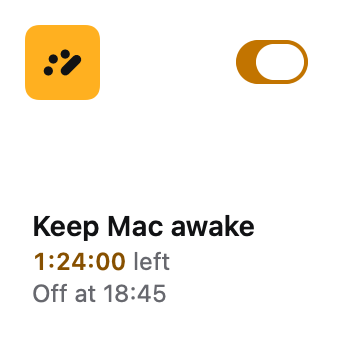
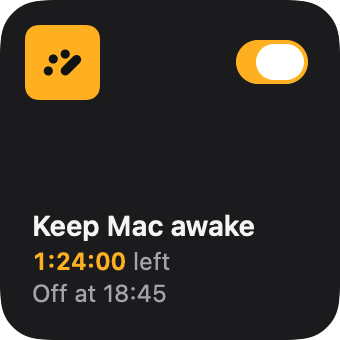
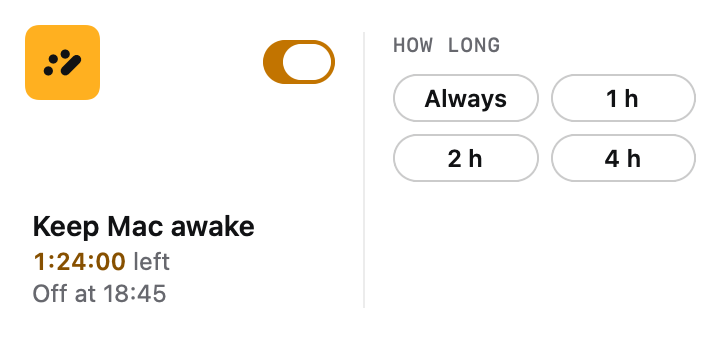
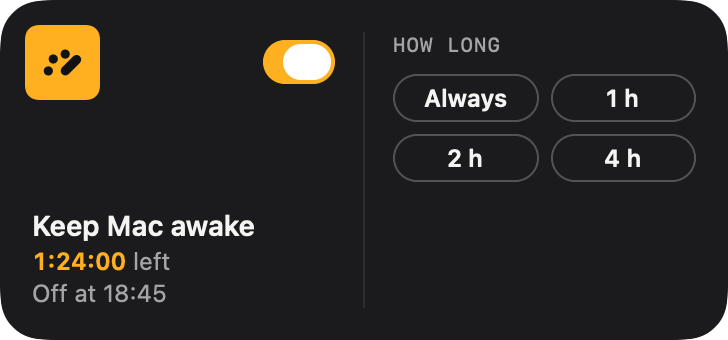
Two sizes
- Small: the Keep Mac awake switch and the time left, or when it turns off.
- Medium: the same, plus How long: Always, 1 h, 2 h or 4 h.
The widget and the menu bar panel stay in sync, so turn it on in one and the other shows it.
Add it
Right-click the desktop, choose Edit Widgets…, search for Cruise Control and drag it where you want it. It works in Notification Center too. The widget needs macOS 14 Sonoma or later and Cruise Control in your Applications folder; the app itself still runs on macOS 13.
Get it
Cruise Control is free and updates itself. Download Cruise Control. Every change is in the changelog.
 Ondřej RomancovEngineer in Prague · X · LinkedIn · GitHub